Reactions (Likes/Dislikes, Favorites)
InAppStory provides a way for your customers to leave reactions on stories, including Likes/Dislikes and Favorites. The process of implementation is the same for both options, so you can enable them at the same time.
Preparing these features to work takes a few steps. Follow them in the specified order.
Enabling in the console
First and foremost, enable Like/Dislike and Favorite functionality in the project settings.
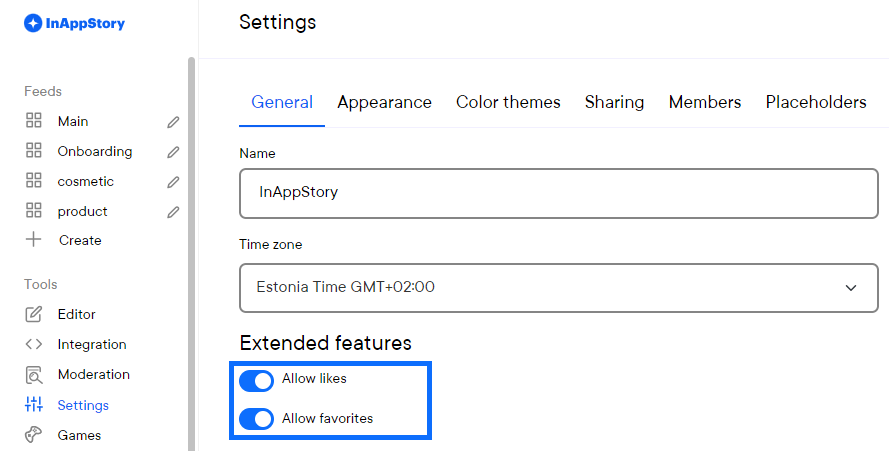
You can enable both of them at once or just the option you need. Make sure to include the options you checked in the next step.
Enabling in the code
This step requires attention from the developers. You need to enable said features in the code of your application. Follow these guides on implementing for your platform:
Android
iOS
JS
React
Flutter
React Native
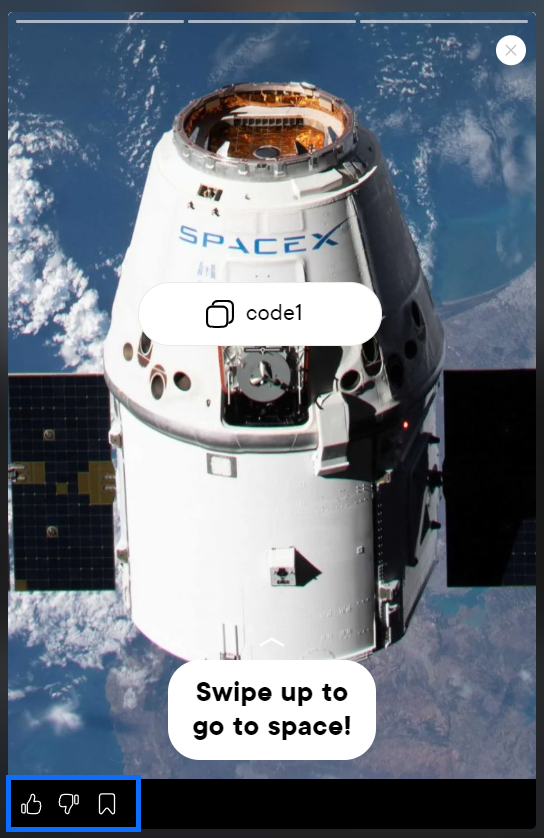
After enabling these options in the code you should see the same icons that you see in the console preview in your app:
Customizing favorite cell (optional)
After enablig Favorite functionality you should try adding a few stories to favorites. To do this, click on a favorite icon in the story reader so it becomes active. Now you should see the favorite cell in the end of the feed.
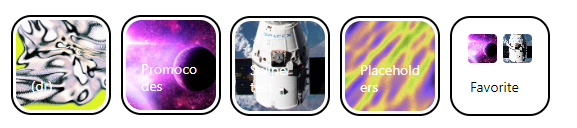
You can customize it too. Look in these guides:
Singular tuning (optional)
You can turn off/on reactions for each individual story to allow only a part of these features to be used.
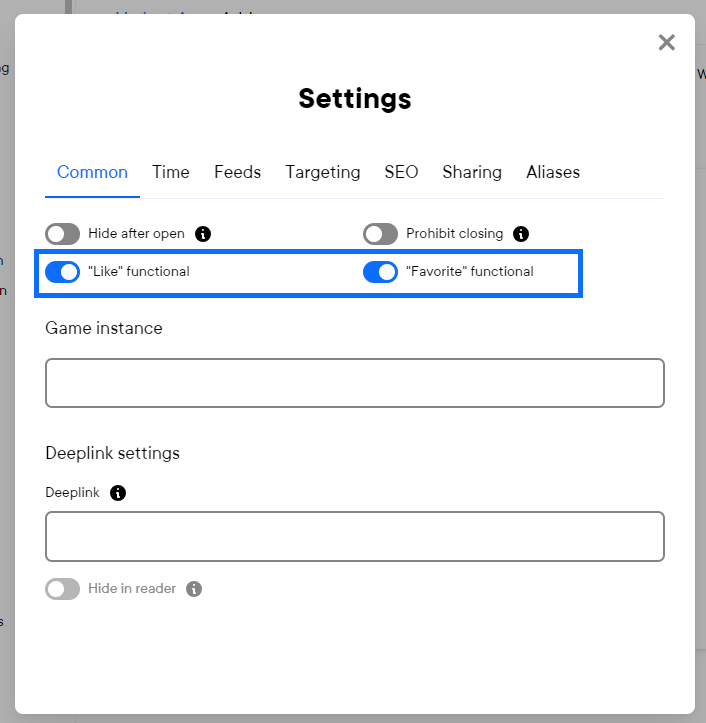
Reactions must be turned on in the project settings for this functionality to work.