Widget "Goods"
You have the option to use the "Goods" carousel in stories. You can use it to show the user a collection products, by clicking on which the user will be redirected to the page with the product.
This functionality is outdated. We suggest to use Products instead.
Integration
When user opens the carousel by swiping up on the widget, the SDK will pass the list of SKU's that were added to story.
The app must be ready to return needed products according to the protocol. To achieve that - follow the instructions for your platform:
You can also customize the carousel design. Follow the same guides for more information.
Adding to story
After integration of this functionality you will be able to see your goods in the application. To test it - follow the instructions below or refer to this video-guide.
- Add the widget "Goods" in a story. It will resemble the "Swipe Up" widget;
- In the widget configuration menu (will appear after adding the widget) you will see the field on top of it. Here you need to insert product SKU's in the same format they are used in the application. Add as much products as you need (the max quantity is 20);
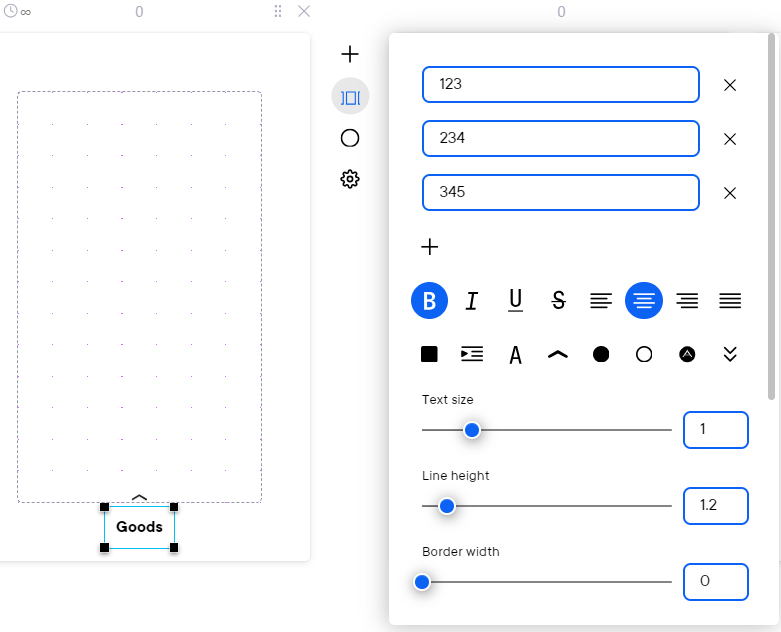
- Customize the widget button to your liking;
- Check the work of the widget in your application.
You won't be able to see your products in the console preview, it has to be checked in your application.