Cart Checkout
The new "Checkout" add-on for the InAppStory SDK lets you turn stories into interactive shopping experiences by connecting in-story product feeds with your app’s shopping cart. It brings core commerce capabilities right into stories so users can browse, add items, and navigate to their cart without leaving the story flow.
At its core, Checkout is an extension of the "Products" widget. Your app listens for product cart events emitted by story content, updates the internal cart accordingly, and returns the latest cart state so InAppStory can reflect changes immediately in the UI.
Configuring Cart Checkout
To use Checkout, the application must:
- Listen for Checkout events from stories via subscribing to Cart events:
productCartClickedproductCartUpdatedgetProductCartState
- Update the cart when users interact with products
- Return the current cart state to the SDK
- Handle navigation to the cart or checkout screen
- Keep product data consistent across stories and the app
All of the above points are implemented by subscribing to Cart events and defining the desired behavior in callbacks/closures.
How to turn on Checkout in a story
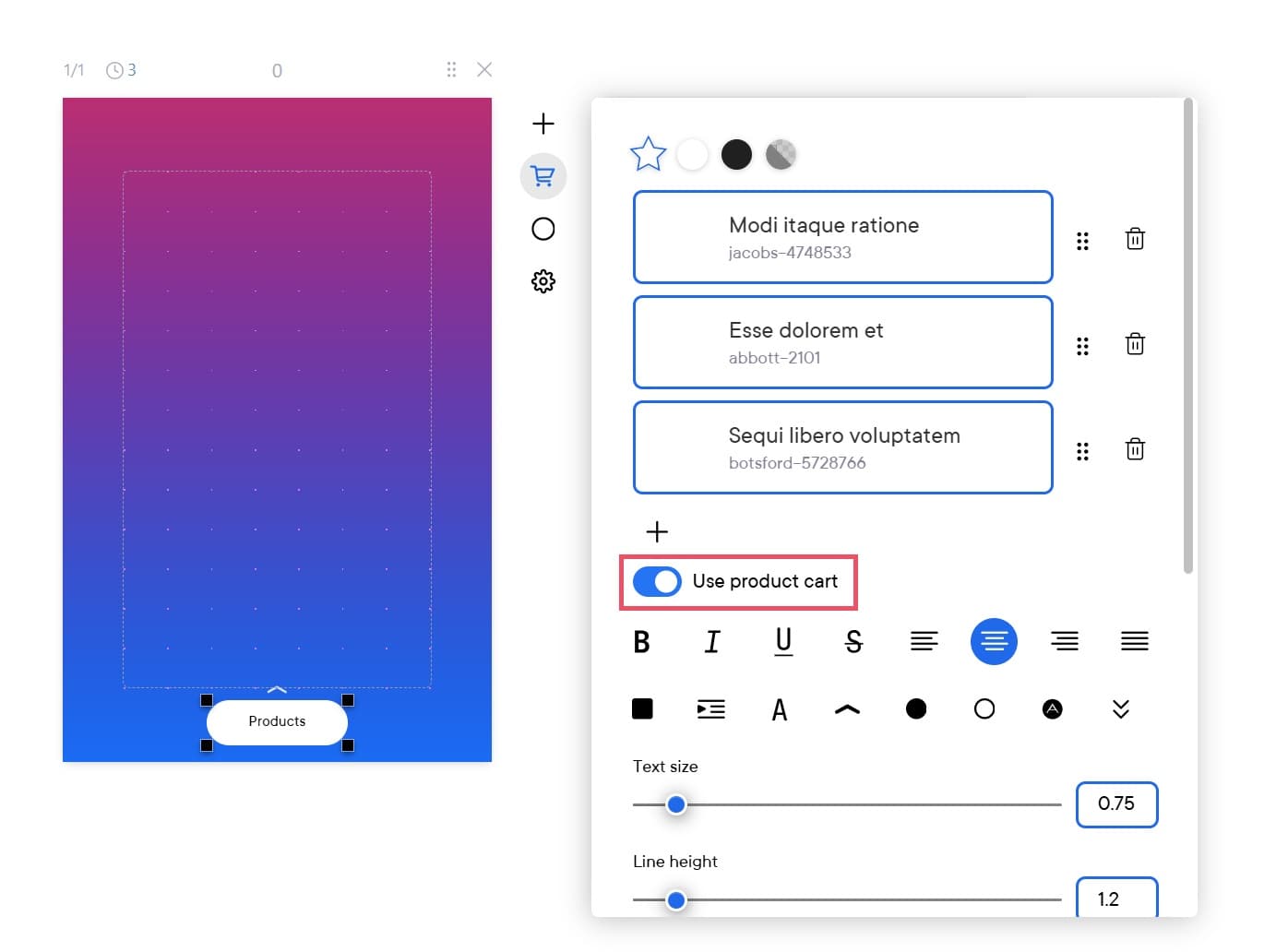
After configuring the shopping cart logic, you need to enable the "Checkout" feature in the "Products" widget within the story. In the widget settings, click on the "Use product cart" toggle to enable this feature.